


Guilds Reborn CityBuild Update

Hey-ya Minecrafters,
After many years and hundreds of requests from the community, the time has finally come. The GUILD UPDATE is here! You can look forward to many of the features you’ve been asking for and lots of great new rewards.
» New Level Rewards
The level rewards have been expanded, and you can now unlock new benefits up to level 625. These include familiar ones, such as more money from jobs, as well as brand-new ones, such as more guild home slots and more guild roles. A detailed list is attached:
| Level | Belohnung |
| 25 | +1 more guild home |
| 50 | +9 additional slots in the guild backpack |
| 90 (ersetzt 95) | +4% more money from jobs |
| 100 (ersetzt 110) | +1 more guild role |
| 125 (ersetzt 130) | +0.05% chance of finding treasure |
| 175 (ersetzt 170) | +1 more guild role |
| 200 (ersetzt 195) | +0.05% chance of finding treasure |
| 225 (ersetzt 220) | +5% more money from jobs |
| 250 | +1 more guild role |
| 275 | +5 more spots in the guild |
| 300 | +9 additional slots in the guild backpack |
| 325 | +1 more guild home |
| 350 | +1 more guild role |
| 375 | +5 more spots in the guild |
| 400 | +9 additional slots in the guild backpack |
| 425 | +10 Minecraft XP every 2 minutes |
| 450 | +1 more guild home |
| 475 | +5% more money from jobs |
| 500 | +9 additional slots in the guild backpack |
| 525 | +1 more guild home |
| 550 | +9 additional slots in the guild backpack |
| 575 | +5 more spots in the guild |
| 600 | +10% more money from jobs |
| 625 | +9 additional slots in the guild backpack |
» Guild Settings
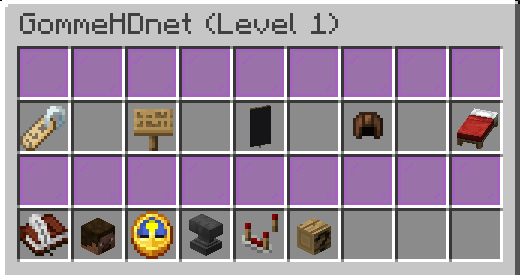
Starting now, you can customize your guild using a variety of settings right from the Guild menu. There, you'll find a new option called “Settings.” From there, you can manage your guild name, MOTD, banner, roles, and homes.
» Custom Roles
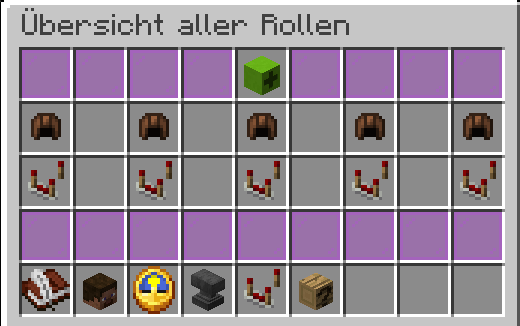
In addition to the standard roles “Founder, Leader, Moderator, Member, and Guest” you can now create your very own roles or edit existing ones. You can customize the following settings:
- Role Name
-> This is the name of the role, which will then be displayed in the guild chat and everywhere else.
- Role Priority
-> This number determines the role’s position in the hierarchy. The higher the number, the higher the role ranks within the guild.
- Role Permissions
-> For each role, you can individually decide exactly what that role is allowed to do. The following permissions are available: Use guild chat, use guild backpack, deposit money, use guild team chat, send join requests, kick guild members, ban/unban guild members, change a member’s guild rank, manage MOTD, manage banner, change name, view activity log, manage role permissions, and manage homes.
» Activity Log
This new menu lets you see what's been happening in the guild. With the appropriate permissions, you can track exactly who made changes to the guild or its members. Examples include: depositing money, joining the guild, banning a player, teleporting to a home, changing a player's role, etc.
» Managing Members
In addition to commands like /guild promote / demote / kick, etc., you can now manage your members directly through a menu in the member overview.
Furthermore, the new /guild ban feature has been added. With this, you can now ban players from the guild, and they cannot be invited back until they are unbanned.
» Homes
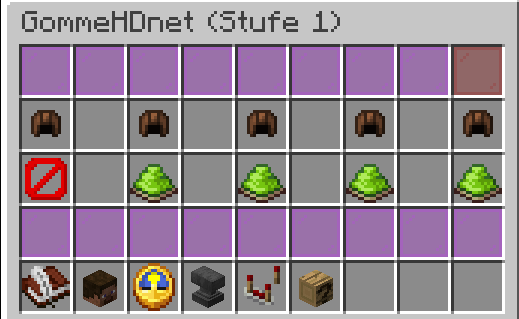
Do you have farms or shared plots with your guild? If so, you can now make them available through a simple, guild-wide home. Just like with the active home system, you can set these up freely and teleport to them at any time. In the home settings, you can further customize these individual homes and specify who is allowed access to which homes, and who isn’t.
» Automatic Deletion of Inactive Guilds
As we already know from the plots, inactive guilds are now deleted after a certain amount of time. The time until deletion depends on the guild’s founder. If the founder has not been online for more than 180 days (240 days for Premium rank and 300 days for Supremium rank), the guild will be deleted. If the player then comes back online, the guild can be restored using the command /guild restore.
We hope you enjoy the update and wish you lots of fun with the new guild features!
As always, we welcome feedback on the update and suggestions for new features in the Forum or in the Discord.
With kind regards,
Your GommeHD.net team
Contributors


